A Comprehensive Guide to Network Devices
Let us firstly understand how the internet works, data on the internet circulates through fibre optic cables under the ocean, there is a thick covering over the optical fibres for protection. The cables are connected to landing station on ground, this is how the network reaches the world.
When a user accesses a website, the data is transferred into packets, sent to the server, returns via optical fibre cables or cell phone towers (where internet is transmitted in the form of electromagnetic waves).
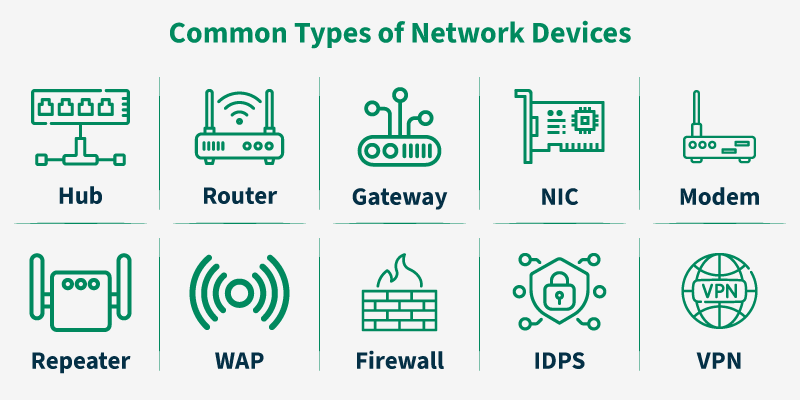
image: GeeksforGeeks
What is a modem?
A modem (modulator- demodulator) is a network device that connects your devices to the internet by translating digital signals i.e. 0s and 1s from your device into analog signals and vice versa to make the internet usable for our devices. It basically acts as a translator.
What is a router?
A router is a networking device that acts as a centralised place and connects multiple networks and facilitates data transfer between them. It basically decides where the data should go. It also routes traffic between your local network and the internet. The router directs traffic by determining the most efficient path.
It is important to note the difference between a modem and a router. A modem connects your local network to the internet and then router manages traffick inside your network.
HUB vs SWITCH
A hub sends data to every connected device irrespective of their need, creating high traffic and collisions where as switches intelligently send data only to the specific device using MAC addresses.
Hub is less efficient, not secure and also isn’t used much these days. It is good for small networks. Switch is a better, faster, more secure way to send data. It is good for medium to large networks.
What is a firewall?
A firewall is a network security system that monitors and controls incoming and outgoing data based on predetermined security rules. It only allows safe traffic and blocks unauthorised access and saves our devices.
The firewall examines each data packet based on the predetermined security rules, if the packets match the rule, they are allowed, if not they are either blacklisted or blocked or dropped.
Firewalls can be hardware-based, software-based or a combination of both. Following are the types of firewalls:
Network Placement: placed between a trust LAN and an external network like the internet.
Systems Protected: a security barrier either software or hardware that filters the incoming or outgoing data based on the security protocols.
Data Filtering Method: inspects outgoing data to prevent data leakage (eg: credit card details, social security numbers etc.).
Form Factors: a program installed on a computer that protects if from the network threats.
Load Balancer
A load balancer spreads traffic across multiple backend servers to improve performance and prevent a single server from becoming overwhelmed and less reliable. If by chance a server fails, it reroutes traffic to other servers so that there are no disruptions in service.
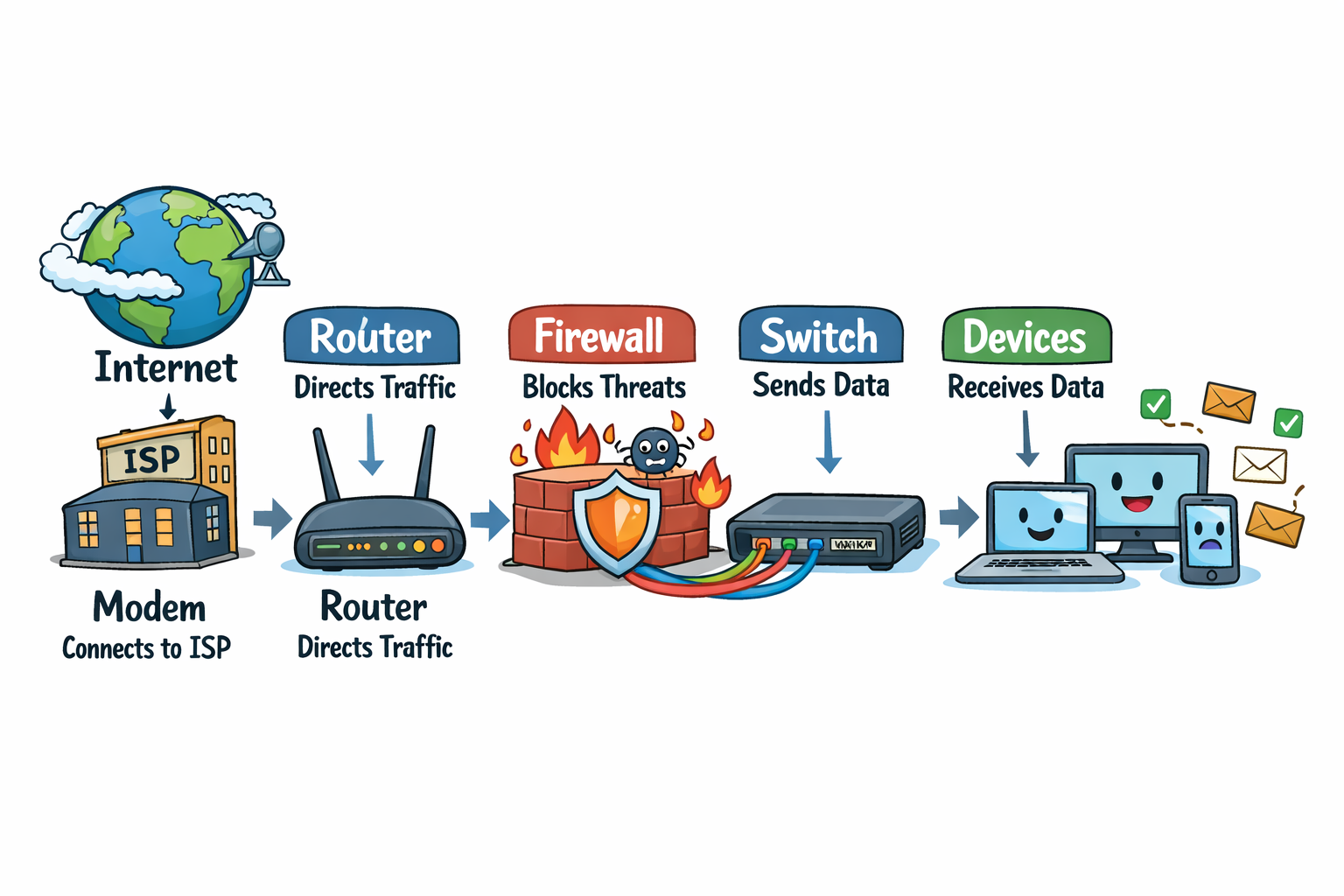
Let us now understand on how these network devices work together:
The modem is connected to the Internet Service Provider → the router decides where the traffic goes → firewall blocks all of the threats → switch delivers data to the correct devices → devices receive/send data.
The image below will help you understand better.